AI TOOL / #07462
Vision AI
A Chrome extension that enables AI-driven insights based on screenshot data.
Introduction
Chrome extension for AI-powered insights from screenshots.
What is a Vision AI Chrome extension/plug-in?
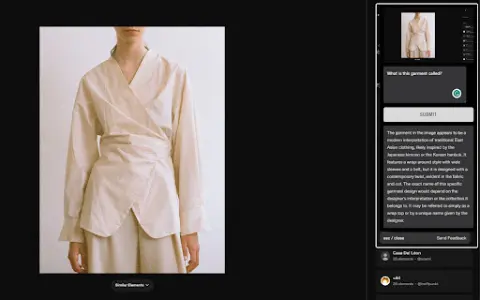
Visual AI is a Chrome extension that combines screenshot functionality with AI-driven insights to enhance online information search. It allows users to capture any portion of a web page, add notes or questions, and receive AI-generated responses based on the context of the captured image.
How to use the Vision AI Chrome extension/plug-in?
Install the Visual AI Chrome extension. Use CTRL + SHIFT + Y to take a screenshot, and then add any notes or questions you have. Visual AI will analyze the screenshot and provide an AI-generated response.
The core functions of the Vision AI Chrome extension/plugin
Screenshot capture
Interactive AI Suggestions
Seamless browser integration
Suitable for a wide range of applications in various fields
Privacy and Security
Related
KOI PET
An AI-driven digital pet adventure that rewards users for caring for it through activities such as feeding, exploring, fighting, and earning rewards.
Backgammon Buddy
Play draughts for free online, compete against AI or friends, and analyze your gameplay.
Instance
An AI-driven application development tool, suitable for iOS, Android, and web platforms – and completely code-free.
SmilesFlow
SmilesFlow helps create interactive, branded games that enhance engagement on blogs and social media platforms.
RideAI
RideAI is a map application that provides surf reports and weather information generated by artificial intelligence.
UserWatch
An AI-based user experience research tool designed to identify issues related to website accessibility and enhance conversion rates.