AI TOOL / #07004
Getaudify
An AI Chrome extension designed for summarizing text, converting text to speech, providing answer-based services, and performing content analysis.
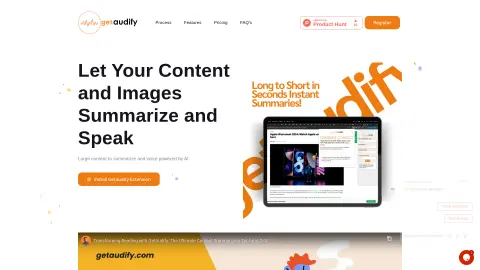
Introduction
AI Chrome extension for summarizing, text-to-voice, Q&A, and content analysis.
What is GetAudify?
GetAudify is a powerful AI-powered Chrome extension designed to enhance the productivity and information-handling capabilities of professionals, students, and enthusiasts. It offers features such as text summarization, text-to-speech conversion, the ability to generate questions from text and images, code analysis, and image recognition. The platform also includes a dashboard for managing credits, API keys, and viewing usage history. Its purpose is to help users summarize large amounts of content, convert images into text, generate questions, and take advantage of multi-language support as well as customizable tone settings.
How to use GetAudify?
To use GetAudify, first create a free account to obtain 20 free credits, and then generate an API key from the dashboard. Next, download the GetAudify Chrome extension and log in using your API key. To summarize text or convert it into audio, right-click on the selected text or image on the web page and choose the GetAudify option. For images, a pop-up window will appear offering options such as only summarizing the content or summarizing it along with generating audio. If you want to ask questions about the text or image, select the relevant content, right-click, choose GetAudify, and then select “Ask a Question” to open a new field for entering your query. The dashboard can be accessed using an email address and password, allowing you to manage your credits, settings, and API key.
The core functions of GetAudify
AI-based text summarization
Text-to-speech functionality (including narration) is available in both male and female voices. Users can customize the tone of the audio as well as select different languages for playback.
Q&A functions for text and images
Image analysis (extracting summaries from images, converting images into text)
Code analysis
Dashboards for integration management, API key generation, and tracking of usage history
Real-time summarization and speech generation
Related
Squizzer
A Chrome extension that uses AI to help you win the sQuiz game.
Peritus Assistant
A Chrome extension for real-time recommendations of posts on the Cloud-Native Forum.
HighlightGPT
HighlightGPT uses AI and contextual analysis to identify and highlight important text on web pages.
Lupin
A tool that utilizes large language models to answer questions related to the content on the current page.
The GPT Who Lived
A GPT-powered Harry Potter question-answering system with adjustable randomness.
Deepfind
A privacy-focused AI search engine that provides fast, accurate answers with citations.