AI TOOL / #06861
> godcast
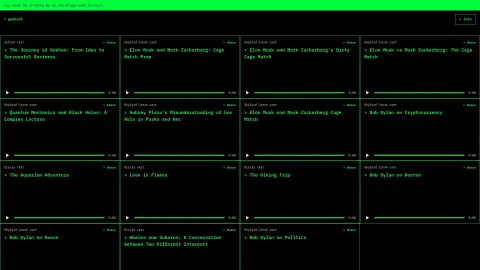
Use AI to generate conversations on any topic and customize the voice used in those conversations.
Introduction
Generate conversations on any topic using any voice with AI.
What is a godcast?
Godcast allows you to create conversations on any topic using whatever voice you desire. Simply describe what you want to produce and click “Generate”. You must be invited by an existing user in order to use this functionality.
How to use Godcast?
Describe the content of the conversation you would like to have, and then click “Generate”. Please note that you need an invitation from an existing user in order to use this generation function.
The core functions of a godcast
AI-driven dialogue generation
Custom sound settings
Flexibility of themes
Related
Audiotype – Audio Transcription and Video Subtitles
Automatic transcription software converts audio and video into text, offering high accuracy and multilingual support.
ByteCap
An AI-powered platform designed for creating viral-style short videos, featuring automatic subtitle generation and video editing capabilities.
Colossyan Creator
An AI video platform used for creating training and workplace learning videos from text.
Coze
The AI robot and agent creation platform launched by ByteDance
Captions
AI-powered video creation and editing apps that offer automatic subtitles and a range of AI-based tools.
Mubert
The AI music ecosystem generates royalty-free music.