AI TOOL / #06796
AutoPod
An Adobe Premiere Pro plugin for automatic video podcast editing.
Introduction
Adobe Premiere Pro plugin for automatic video podcast editing.
What is AutoPod?
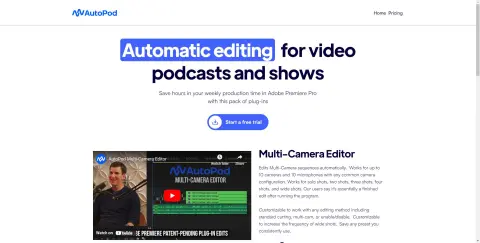
AutoPod is a set of plugins for Adobe Premiere Pro, designed specifically for video podcast and video program editors. It automates tasks such as multi-camera editing, creation of social media-ready content, and seamless editing based on audio silence markers. By streamlining processes that often prove time-consuming for editors, AutoPod helps to save valuable production time every week.
How to use AutoPod?
Install the AutoPod plugin in Adobe Premiere Pro. Open a project file in Premiere Pro, navigate to Window > Extensions, and then click on the desired AutoPod application. Use these tools to automatically edit multi-camera videos, create social media-ready clips, or add transitions based on audio silence.
The core functions of AutoPod
Automatic multi-camera editing
Social media content creation
Jump-cut editing
Related
DialogAi
DialogAi is a ChatGPT-powered WhatsApp chatbot that can answer questions and transcribe voice messages.
Corpus-X
Corpus-X provides enterprises with tailored AI solutions, including AI search and VizGPT analytics.
BabbleBox.ai by MakeForms.io
BabbleBox.ai creates human-like AI communication experiences and conversational interfaces for applications.
Splutter AI
AI chatbot and voicebot platform for business automation and customer engagement.
Q – The Ultimate AI Voice Chatbot
Advanced AI-powered voice chat robots that are capable of conducting voice conversations, generating images, and possessing customizable personalities.
Gpt4sales
Create custom GPTs for WhatsApp and Telegram to automate sales and tasks without coding.