AI TOOL / #06677
Voice Control for Netflix
Use voice control to operate Netflix: play, pause, fast-forward, and more.
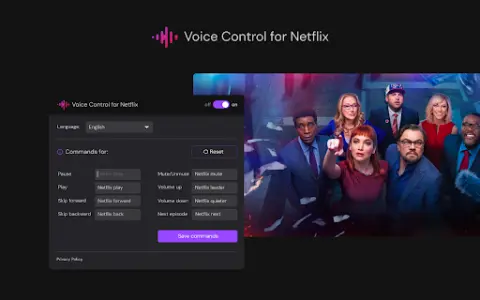
Introduction
Control Netflix with your voice: play, pause, fast-forward, and more.
What is the Voice Control for Netflix AI Chrome extension/plugin?
Netflix’s voice control allows users to manage their Netflix experience via voice commands. This includes tasks such as playing, pausing, and advancing videos, all without the need to use a remote control or touch the screen.
How to use the Voice Control feature for the Netflix AI Chrome extension/plug-in?
Simply enable Netflix’s voice control, and then use voice commands to control playback, navigate the menu, and search for content.
The core functionality of the Netflix AI Chrome extension/plugin for voice control
Use voice control to operate Netflix playback functions (play, pause, fast forward, rewind).
Hands-free navigation, Netflix menu
Voice search for films and TV shows
Related
AI Chief Strategy Officer
Create AI chatbots based on your data for a variety of applications.
Hello24ai
E-commerce platforms specialized in providing sales, marketing, and support services for WhatsApp, with integrations available for Shopify and WooCommerce.
ZappyChat AI
An Advanced artificial intelligence chatbot based on OpenAI, designed to assist with appointment scheduling and enhance customer value.
Claude 2 AI
A platform that offers global access to Claude 2 AI through its API.
NLX
A no-code platform for building conversational AI applications.
Jeffrey Célavie Astrology
An AI-powered astrology platform that provides personalized insights and guidance.