AI TOOL / #06631
Voice-to-ChatGPT
Voice-controlled ChatGPT interactions via browser plug-in.
Introduction
Voice-controlled ChatGPT interaction via a browser extension.
What is the Voice-to-ChatGPT ai chrome extension/plugin?
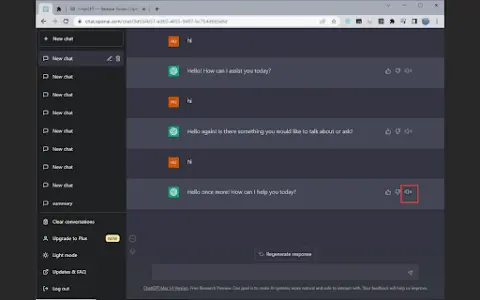
Voice Control ChatGPT is a browser plug-in that allows users to interact with the ChatGPT language model through voice. It leverages Google Chrome's speech recognition and text-to-speech technology to enable users to use voice input and audible replies from ChatGPT. Users can hold down the button to speak their question, release the button to send, and optionally cancel or edit before sending.
How to use Voice-to-ChatGPT ai chrome extension/plugin?
Open the ChatGPT homepage, press and hold the Talk button to speak, and release the button to send your question. You can cancel or edit your entry before sending.
Voice-to-ChatGPT ai chrome extension/plugin core functionality
Voice input to ChatGPT
Text-to-speech output for ChatGPT
Major languages supported
Press and talk function
Related
LipSurf – Voice Control for the Web
A voice-controlled browser extension for hands-free browsing and increased productivity.
Transcriptmate.com
On-demand audio/video transcription service, equipped with AI-based content generation capabilities.
Deep Infra
A platform designed for deploying and running machine learning models, featuring a simple API and a pay-as-you-go pricing model.
Speech Recognition Extension
A speech-to-text extension for seamless note creation to increase productivity.
audeering.com
AI solutions for audio analysis and speech emotion recognition, enabling empathetic AI interactions.
Apollo Health MD
AI-powered web applications that automate the note-taking process for healthcare professionals, in compliance with HIPAA regulations.