AI TOOL / #06413
Audiotext AI
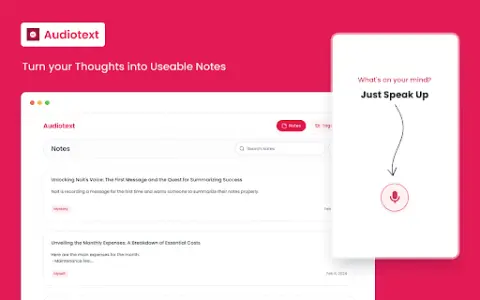
Audiotext AI converts audio to text, removes filler words, and offers multiple transcription styles.
Introduction
Audiotext AI converts audio to text, removing filler words and offering various transcription styles.
What is the Audiotext AI AI Chrome extension/plugin?
Audiotext AI can convert audio into accurate text by removing unnecessary words and generating concise summaries. It allows users to transcribe speech into text, offering multiple styles such as short summaries, bullet points, passive voice, and active voice.
How do I use the Audiotext AI Chrome extension/plugin?
1. Speak naturally, including filler words. 2. Choose a transcription style (short summary, long summary, bullet points, etc.). 3. Click "Transcribe."
Core features of the Audiotext AI Chrome extension/plugin
Audio to text
Remove unnecessary words.
Concise Summary
Rewriting with AI for style adjustment
Shareable note link
Related
Jigso
An artificial intelligence-powered research and monitoring tool that assists teams in interacting with work applications and data.
Replio
An AI-powered platform for surveys, interviews, and analysis.
LLMChat
An AI-driven research platform that places emphasis on privacy and open-source software.
Genei
An AI-driven tool for summarizing, conducting research, and analyzing information.
Chisquares
An all-round research support platform driven by artificial intelligence.
Seamless
Artificial Intelligence literature review, scholarship search, and essay writing tools.