AI TOOL / #06325
ChatGPT Voice Assistant
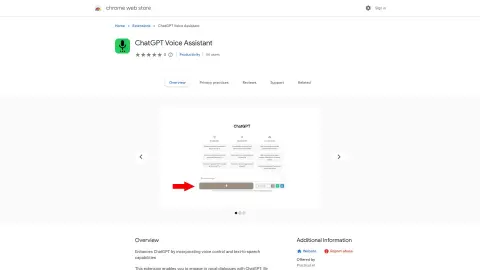
The voice-activated ChatGPT interface supports text-to-speech conversion and multiple languages.
Introduction
Voice-activated ChatGPT interface with text-to-speech and multi-language support.
What is the ChatGPT Voice AI Chrome extension/plug-in?
This tool allows you to capture voice input and send it to ChatGPT. The responses generated by the system can be listened to aloud (this option can be disabled if desired). It supports multiple languages, and you can start capturing voice data by clicking the microphone button or holding down the spacebar.
How to use the ChatGPT Voice AI Chrome extension/plug-in?
Click the microphone button or hold down the spacebar to record your voice input. This tool will send your recorded voice to ChatGPT, which will then read out the response. You can also choose to disable the text-to-speech function if you prefer to read the responses directly.
The core functions of the ChatGPT Voice AI Chrome extension/plug-in
Voice input for ChatGPT
Text-to-speech output generated by ChatGPT
Multilingual support
Capture voice input using the microphone button or the spacebar.
Related
Forecastio
A sales performance management and forecasting tool designed for HubSpot, which enhances the capabilities of sales analysis.
Lumo
Lumo provides data on flight delay predictions and the impact of carbon dioxide emissions, in order to help improve booking decisions.
Future Proof
An AI tool predicts the future of work in an AI-driven world and offers advice on how to prepare.
WatchNow AI
AI-based movie and program recommendation applications.
Tarotoo
A free AI-driven platform for interactive tarot cards and spiritual divination.
Census GPT
Population census data can be queried and analyzed using natural language processing, without the need for SQL.