AI TOOL / #05876
Do Browser
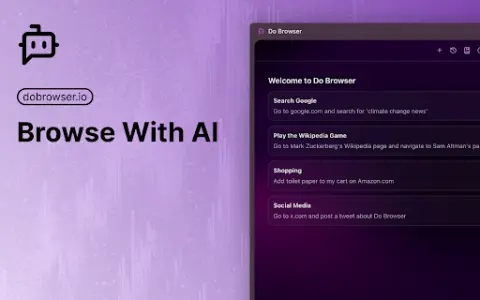
An AI-powered Chrome extension that enables control of the browser via natural language commands.
Introduction
AI-powered Chrome extension for browser control using natural language.
What is a Do Browser AI Chrome extension/plug-in?
Do Browser is an AI-powered extension for Chrome that allows users to control their browser using natural language commands. It provides quick access through the address bar or keyboard shortcuts and also supports voice commands. Its purpose is to simplify tasks such as filling out forms, shopping, and navigating complex web interfaces.
How to use the Do Browser AI Chrome extension/plug-in?
Enter “do” in the address bar or use the shortcut keys Cmd+K/Ctrl+K to activate the Do Browser. Then, use natural language commands to instruct the extension to perform tasks within the browser.
What are the core functions of browser AI Chrome extensions/plugs?
Natural Language Browser Control
Access via the address bar and keyboard shortcuts
Voice command support available
Related
tovutilms.com
The integrated LMS software is used for creating courses, motivating learners, and supporting training teams.
Eurekaa
An artificial intelligence-powered platform that enables the rapid creation and verification of online courses and books.
ApX Machine Learning
A platform for creating and deploying LLMs and machine learning models, with automated workflows.
Headstarter
Provide a platform for software engineers who are new to the workplace to enhance their skills and increase their opportunities in finding jobs.
InterviewBoss
An AI-based tool for interview preparation that offers mock interviews and personalized feedback.
Formation
Formation is an intelligent-driven software development project designed to assist with interview preparation and career advancement.