AI TOOL / #05778
Roshi AI
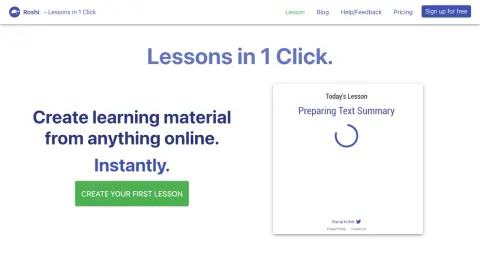
Roshi enables teachers to quickly utilize AI to create interactive learning materials.
Introduction
Roshi helps teachers create interactive learning material quickly using AI.
What is a Roshi?
Roshi enables teachers to quickly create interactive learning materials, and its usage is very straightforward. Users can generate summaries, glossaries, questions, and activities based on YouTube videos or articles. It also allows for the creation of dialogues, visual effects, and targeted exercises according to specific criteria.
How to use Roshi?
Describe the learning materials you need. Use the provided prompts to generate the content, and Roshi will use AI to create those materials for you, which will then be shared on learning platforms such as Moodle or Google Classroom.
The core features of Roshi
AI-driven course generation
Creation of custom voice-driven conversations
Visual content generation (images, brochures, etc.)
Targeted content generation (such as CLB)
Integration with Moodle and Google Classroom
Related
myBrandgen.com
A platform that uses artificial intelligence to generate brand images and marketing content quickly and cost-effectively.
Fye.ai – Ai Rap Assistant
An AI platform designed to enable the quick and easy creation of rap songs, lyrics, and related content.
Mapify
Mind map generation tool
packback.co
An artificial intelligence-based learning platform designed to support discussion, writing activities, and teacher guidance.
profilepicturemaker.com
AI powered avatar generator with customization options.
Walles.ai – Your AI Browser Sidekick
Walles.AI is a personal AI assistant for browsers that provides instant insights and answers from any website or PDF file directly within the browser.